Remote Login From Different Geolocation
Overview
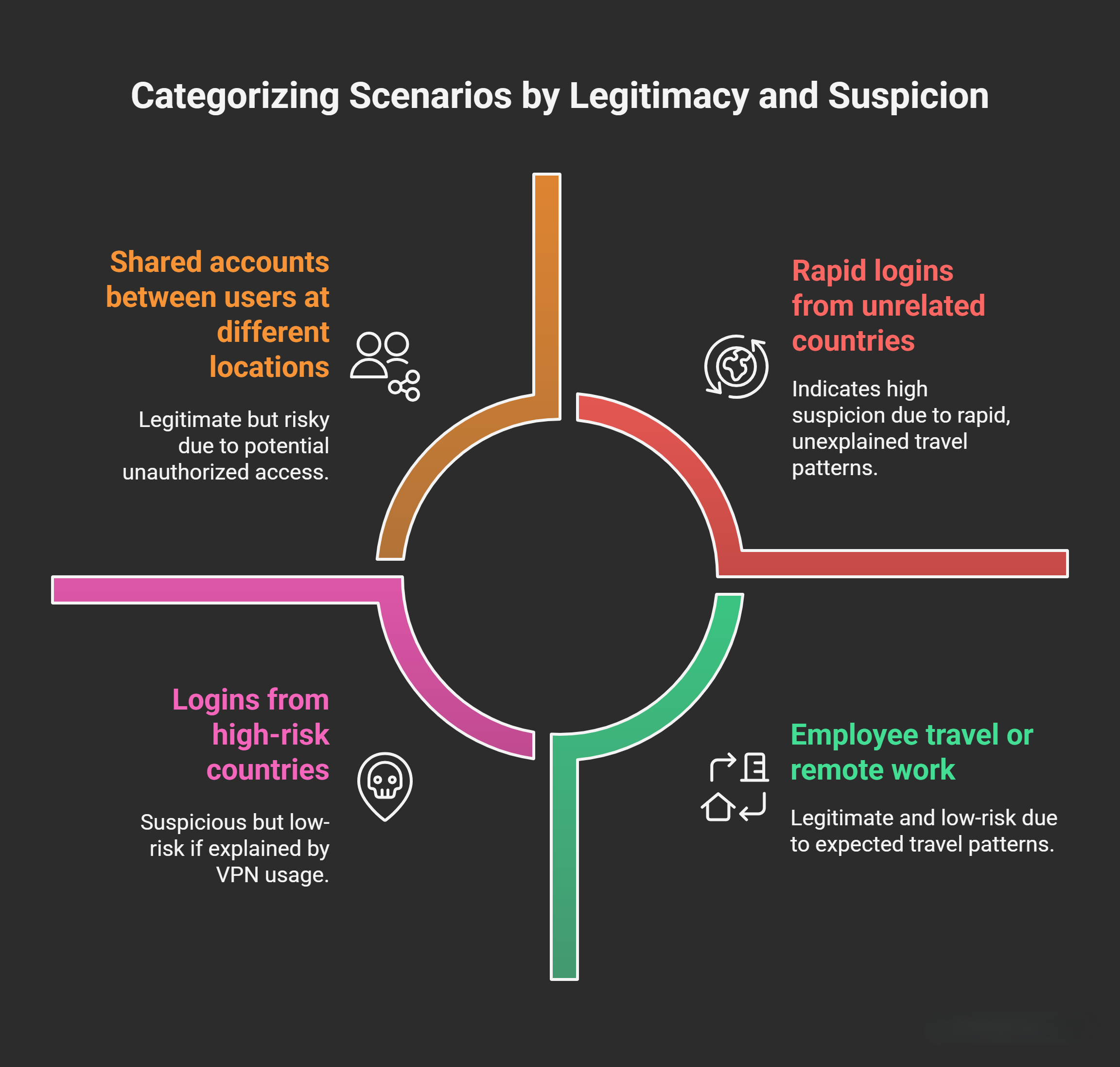
Remote logins from significantly different geolocations within a short timeframe (e.g., the same day) can be a legitimate activity or a potential security incident. This scenario is commonly divided into three categories: Internet Banking (IB), Outlook Web Access (OWA), and Virtual Private Network (VPN).
- Internet Banking (IB) typically involves customer access to online banking services.
- OWA refers to web-based access to email services (e.g., Microsoft Outlook Web App), often used by employees for corporate email.
- VPN provides secure remote access to an organization’s internal network.
While some cases may have benign explanations (e.g., shared accounts or travel), logins from disparate locations—especially for OWA or VPN—often warrant investigation as they could indicate unauthorized access, such as credential theft, account compromise, or lateral movement by an attacker. The key is to differentiate between normal behavior and anomalies by verifying context, technical details, and user confirmation.
To enhance detection, organizations often use Security Information and Event Management (SIEM) systems, endpoint detection tools, or identity access management (IAM) solutions to log and alert on such events. False positives can occur due to inaccuracies in geolocation data or proxy usage.
Categories and Legitimate vs. Suspicious Scenarios
1. Internet Banking (IB)
- Purpose: Customers access online banking services for transactions, account management, or transfers.
- Legitimate Explanations for Different Geolocations:
- Shared accounts between users at different locations (e.g., a husband and wife logging in from home and work, or during travel).
- Family members or authorized joint account holders accessing from separate devices or locations.
- Use of mobile apps or proxies that mask true locations.
- Suspicious Indicators:
- Rapid succession of logins from unrelated countries or continents without prior history of such travel.
- Unusual transaction patterns following the login (e.g., high-value transfers to unfamiliar accounts).
- Additional Clarification: IB systems often implement multi-factor authentication (MFA) and device fingerprinting to mitigate risks. However, if credentials are phished or stolen, attackers can bypass basic geo-checks using residential proxies. Banks typically monitor for velocity (e.g., logins within hours from opposite sides of the world), which is physically impossible without high-speed travel.
2. Outlook Web Access (OWA)
- Purpose: Employees or users access corporate email via a web browser, often for remote work.
- Legitimate Explanations for Different Geolocations:
- Employee travel or remote work from multiple sites (e.g., office to home or international business trip).
- Shared devices or family access (though rare and discouraged in corporate environments).
- Suspicious Indicators:
- Logins from high-risk countries or IPs associated with known threat actors.
- No corresponding travel records or VPN usage to explain the change.
- Additional Clarification: OWA is a common entry point for attackers due to its exposure to the internet. Modern email systems like Microsoft 365 integrate with Azure AD for conditional access policies, which can block or flag logins based on location, device compliance, or risk signals.
3. Virtual Private Network (VPN)
- Purpose: Securely connects remote users to the internal corporate network, allowing access to resources like file servers, databases, or intranets.
- Legitimate Explanations for Different Geolocations:
- Employee relocation, travel, or use of personal hotspots/VPN apps that route through different servers.
- Multi-site operations where employees connect from various offices.
- Suspicious Indicators:
- Sudden shifts without employee notification (e.g., from USA to France within hours).
- Inconsistent VPN client versions or configurations across logins.
- Additional Clarification: VPNs encrypt traffic but can be vulnerable to weak passwords, unpatched clients, or man-in-the-middle attacks. Organizations often enforce split-tunneling policies or endpoint checks to limit exposure. Tools like Cisco AnyConnect or Palo Alto GlobalProtect log detailed session data for auditing.
Potential Risks of Unauthorized Access
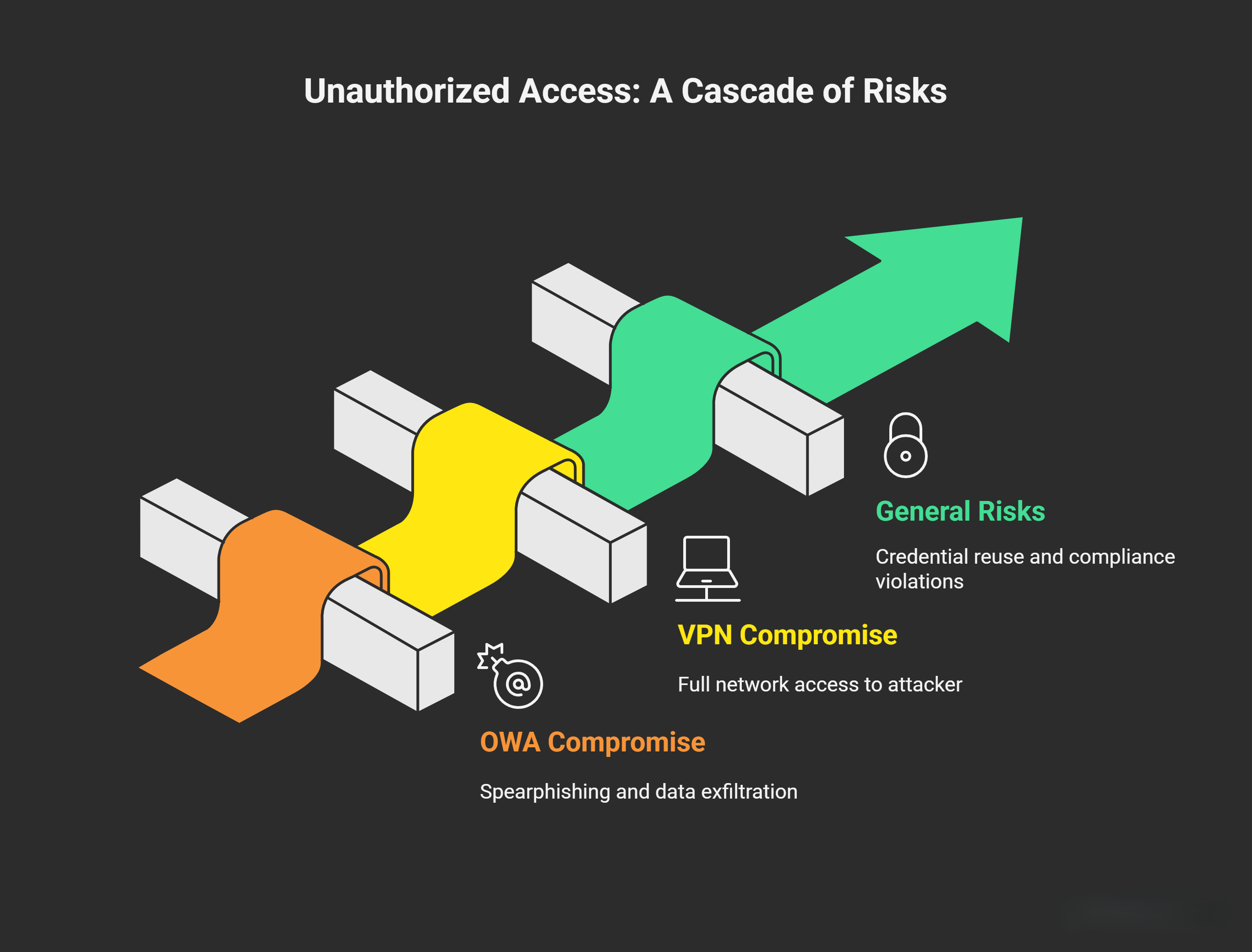
If an attacker gains access via these vectors, the consequences can be severe. Here’s a breakdown:
- OWA Compromise:
- Internal Spearphishing: Attacker sends targeted phishing emails from the victim’s account to colleagues, tricking them into revealing sensitive data or clicking malicious links.
- Reputation Damage: Impersonation of executives (e.g., via Business Email Compromise) to authorize fraudulent wire transfers or leak confidential information.
- Data Exfiltration: Forwarding or downloading all emails to external accounts, potentially exposing intellectual property, customer data, or trade secrets. Attackers may use tools like PowerShell scripts to automate bulk exports.
- Additional Risk: Escalation to full account takeover, enabling reset of other passwords or access to linked services (e.g., OneDrive files).
- VPN Compromise:
- Full Network Access: Once inside the network, the attacker can perform reconnaissance (e.g., port scanning), lateral movement (e.g., to domain controllers), or privilege escalation.
- Broad Impact: Potential for ransomware deployment, data theft from internal servers, or disruption of operations (e.g., deleting logs or altering configurations).
- Additional Risk: Persistence via backdoors or scheduled tasks, allowing long-term access. This is especially dangerous in environments with flat networks lacking segmentation.
- General Risks Across Categories:
- Credential reuse leading to broader compromises.
- Compliance violations (e.g., GDPR, PCI-DSS for IB).
- Financial loss from unauthorized transactions.
To mitigate, implement least-privilege access, regular security awareness training, and automated alerts for anomalous logins.
Investigation Procedures
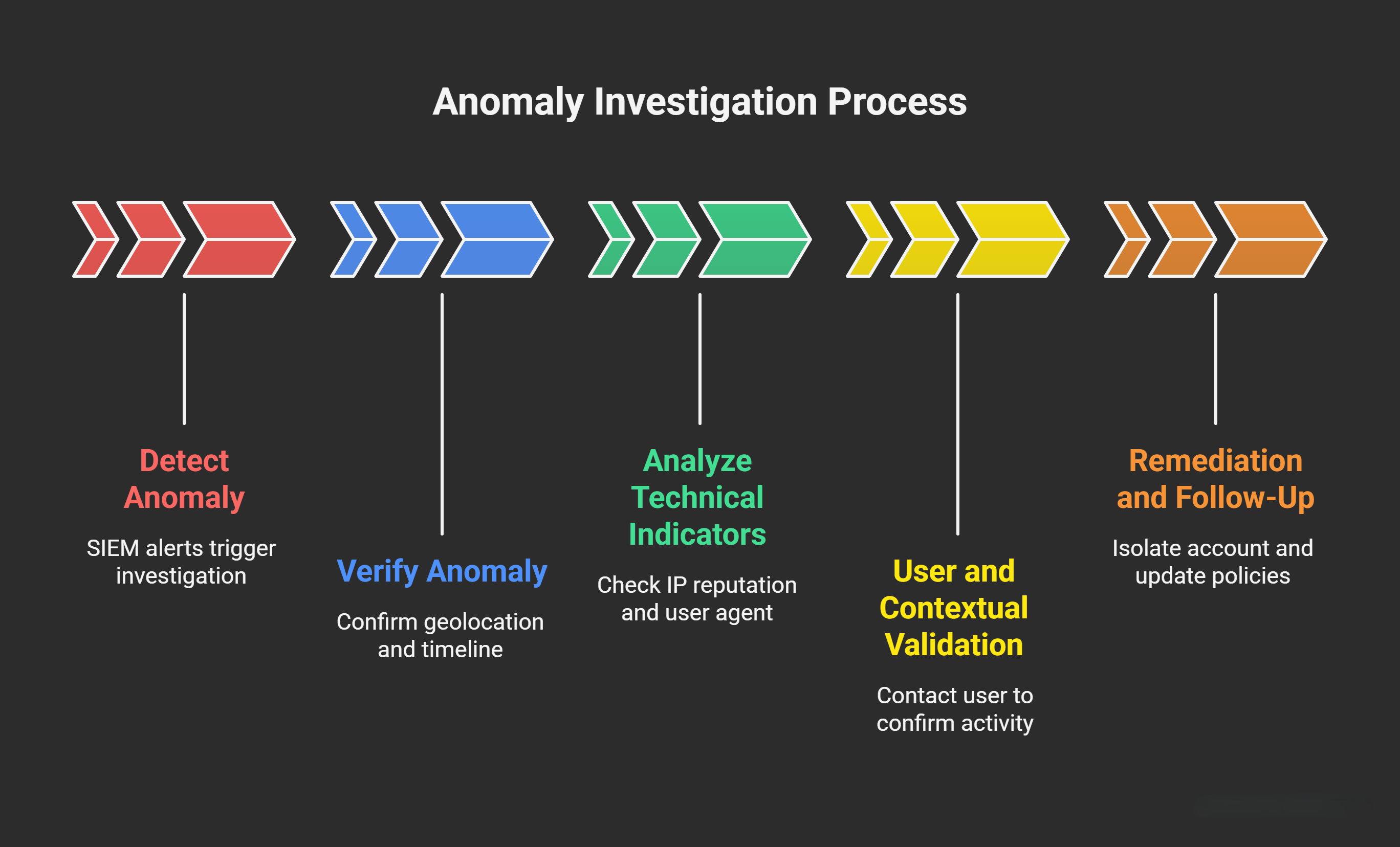
When a potential anomaly is detected (e.g., via SIEM alerts), follow a structured investigation to confirm legitimacy and contain threats. Always document findings for incident response reports.
Step 1: Verify the Anomaly
- Confirm Different Geolocations: Cross-reference logs from multiple sources (e.g., firewall, authentication servers) to rule out errors. Geolocation databases (e.g., MaxMind GeoIP) used by SIEM appliances can be inaccurate due to VPNs, proxies, or outdated data—aim for <5% error rate by validating with WHOIS or traceroute.
- Timeline Check: Ensure the logins occurred within an impossibly short window (e.g., <24 hours across continents) to flag as high-risk.
Step 2: Analyze Technical Indicators
- IP Reputation Check:
- Query threat intelligence feeds (e.g., VirusTotal, AbuseIPDB) for the IPs involved. Attackers often use “clean” residential IPs from bulletproof hosting or compromised devices to evade blacklists.
- Look for patterns like IPs from known botnets or high-abuse regions (e.g., Eastern Europe for certain threats).
- User Agent Verification:
- Compare User Agents (browser/OS strings) across logins. Identical agents suggest the same device; differences might indicate multiple users or VPN apps (e.g., NordVPN changes UA). Tools like SIEM parsers can extract this from HTTP headers.
- Note: Users might legitimately switch devices (e.g., phone to laptop), but mismatches with geo could signal emulation.
- Historical Analysis for the User Account:
- Review past logins for the account: Has this IP, subnet (/24 block), or geolocation been used before? Flag if it’s linked to prior suspicious activity, such as brute-force attempts, failed MFA, or unusual data volumes.
- Check for account sharing history (e.g., via audit logs).
- VPN-Specific Checks:
- Compare VPN client versions and configurations (e.g., protocol: OpenVPN vs. IKEv2). Mismatches could indicate an attacker using outdated or stolen credentials.
- Monitor inbound/outbound traffic: Look for anomalous patterns post-login, such as unusual ports (e.g., RDP on 3389), high data exfiltration, or connections to command-and-control (C2) servers.
- Additional Technical Steps:
- Device Fingerprinting: Analyze browser fingerprints (e.g., screen resolution, plugins) for consistency.
- MFA Logs: Verify if MFA was prompted and passed; bypassed MFA is a red flag.
- Network Flow Analysis: Use tools like Wireshark (for captures) or Zeek to inspect traffic for malware beacons.
Step 3: User and Contextual Validation
- Contact the User: Always reach out to the affected employee or customer (e.g., via phone or verified alternate channel) to confirm activity. Ask about recent travel, device usage, or shared access. For IB customers, this might involve callback verification.
- Example: “An employee connected via VPN from the USA this morning, followed by a login from France. Did you travel or authorize this?”
- Escalation: If unconfirmed, assume compromise—rotate credentials, enable account lockout, and scan for indicators of compromise (IoC) like unusual processes.
Step 4: Remediation and Follow-Up
- Isolate the account (e.g., suspend VPN access).
- Conduct a full forensic review if needed, potentially involving IR teams.
- Update policies: Enforce geo-fencing, behavioral analytics (e.g., UEBA tools), or zero-trust models to prevent recurrence.
By following this framework, organizations can reduce false positives while swiftly addressing real threats. If implementing in a real environment, integrate with tools like Splunk for SIEM or Microsoft Sentinel for cloud-based monitoring.