Phishing and Email Attack Types And Mail gateway Log Analysis
Phishing attacks are a common form of cyber threat where attackers impersonate trusted entities to trick victims into revealing sensitive information, such as login credentials, financial details, or personal data. These attacks often occur via email but can extend to other channels. Email-based phishing is particularly prevalent because it allows attackers to reach large audiences or specific targets efficiently.
Spear Phishing (Including URL-Based Variants)
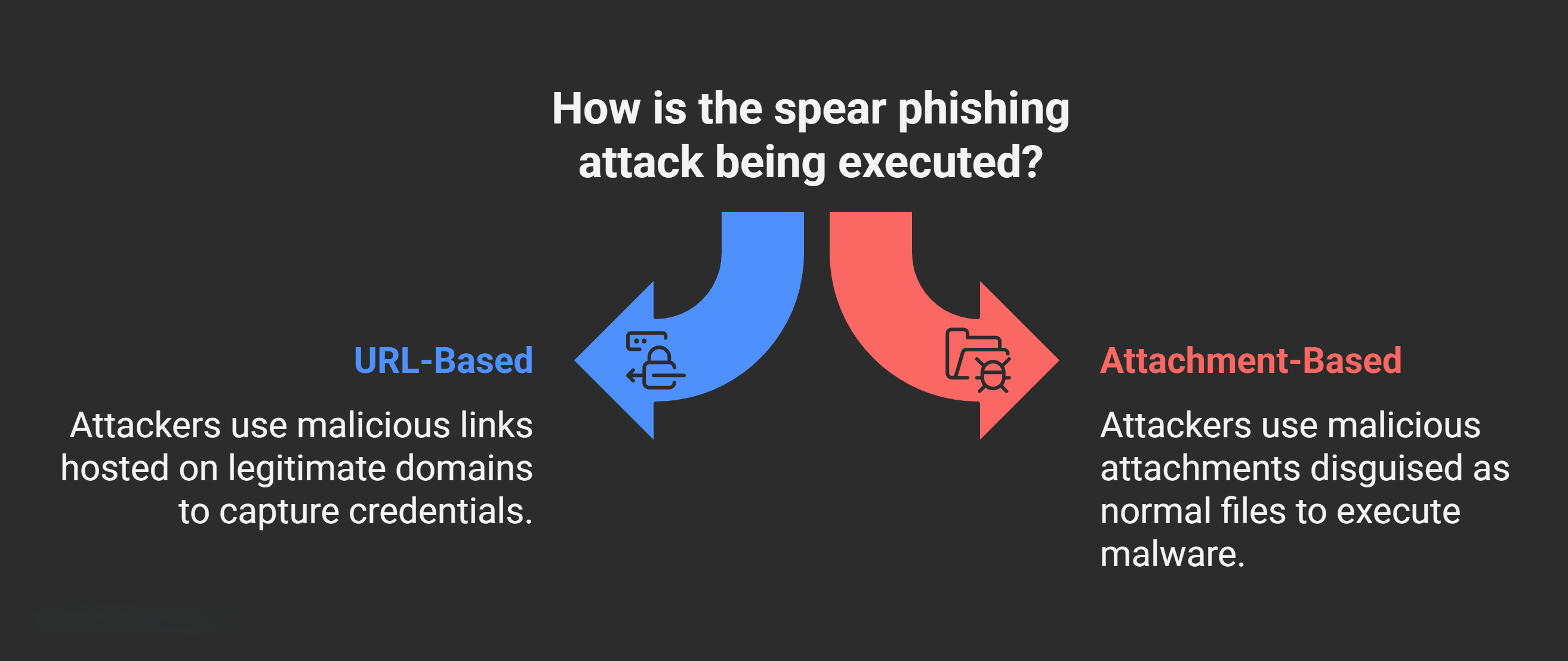
Spear phishing is a targeted form of phishing that focuses on a specific individual or organization, rather than mass distribution. Unlike general phishing, attackers conduct reconnaissance to personalize the attack, gathering details like the target’s name, job title, recent activities, or contact information from social media, company websites, or data breaches. The goal is often to steal login credentials, install malware, or gain unauthorized access.
- URL-Based Spear Phishing: Attackers craft deceptive emails with malicious links that lead to fake websites mimicking legitimate ones (e.g., a login page for your bank’s site). To evade detection, they often host these phishing pages on legitimate web applications or cloud services (e.g., AWS, Google Cloud, or Microsoft Azure), which are inherently trusted. They create a malicious subdomain within a benign domain (e.g., phishing.evil.com hosted under a legitimate-looking domain like secure-login.net). The top-level domain appears legitimate in logs or URL previews, making it harder for security tools to flag. Victims are directed to enter credentials, which are captured by the attacker. This technique is effective because email filters may not block traffic to “legal” domains.
- Attachment-Based Spear Phishing: Emails include malicious attachments disguised as normal files, such as Excel spreadsheets (.xlsx), PDFs (.pdf), or Word documents (.docx). These files may contain embedded macros or Visual Basic (VB) scripts that execute upon opening, potentially downloading malware or stealing data. For example, a fake invoice PDF might prompt the user to enable macros, leading to credential theft. Modern antivirus tools scan for known malicious hashes, but attackers use obfuscation to bypass them.
To prevent spear phishing, organizations should implement email filtering, user training on recognizing suspicious links/attachments, and multi-factor authentication (MFA). Tools like Secure Email Gateways (SEGs) can analyze URLs and attachments in real-time.
Blackmail Phishing (Sextortion or Threat-Based Phishing)
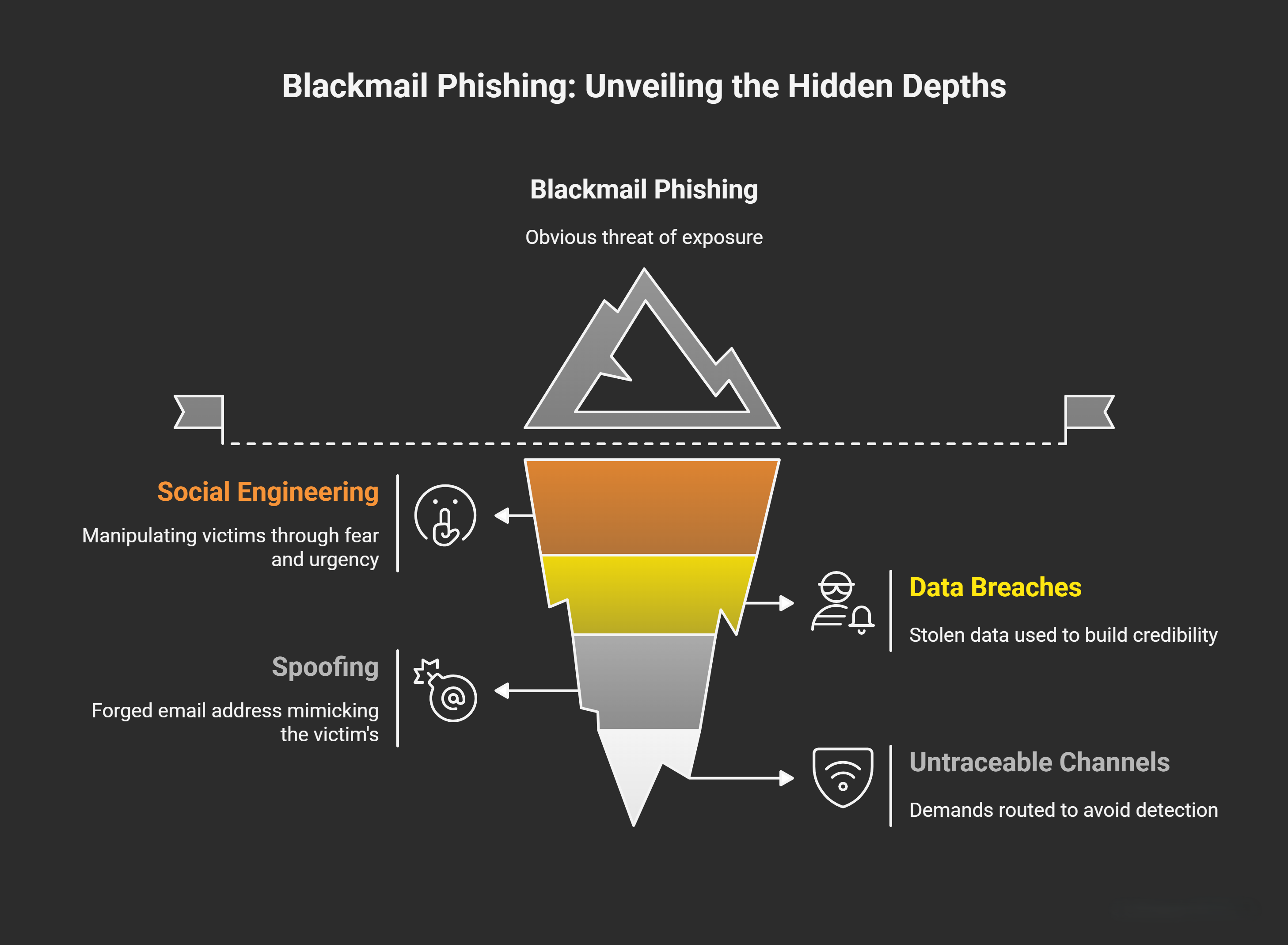
Blackmail phishing, sometimes called sextortion, involves attackers threatening to expose sensitive or embarrassing information unless the victim complies with demands, typically for money (e.g., via cryptocurrency) or further data. This can stem from stolen data from breaches or fabricated claims. In email contexts, attackers send spoofed messages pretending to have compromising photos, videos, or access to the victim’s accounts. Your notes highlight a common tactic: spoofing the victim’s own email address to make threats seem internal or highly personal, claiming control over “all your accounts.” However, this is often fake—the email is sent from a forged address that mimics the victim’s (e.g., using similar domains like victim@gmail.com vs. v1ctim@gma1l.com).
How It Works
Attackers use social engineering to create urgency and fear, such as “I have your webcam footage” or “Pay $500 or I’ll leak your emails.” They may include real details (e.g., password from a breach) to build credibility. Demands are routed through untraceable channels to avoid detection.
Spoofing Element
The email appears to come from the victim’s own address, but headers reveal the true origin. This is not a legitimate access issue but a display-name spoof, which email protocols allow unless anti-spoofing measures like DMARC (Domain-based Message Authentication, Reporting, and Conformance) are enforced.
Blackmail phishing preys on emotions, so victims should never pay or respond—report to authorities and secure accounts with password changes and monitoring. It’s a subset of business email compromise (BEC) attacks when targeted at professionals.
Other Common Phishing and Email Attack Types
- Email Phishing (Mass Phishing): Broad, non-targeted emails sent to thousands, often with generic lures like “Your account is suspended—click here.” Less personalized than spear phishing but higher volume.
- Whaling: A spear phishing variant targeting high-profile individuals like executives (e.g., CEOs). Messages are highly customized, often mimicking urgent business requests for wire transfers.
- Clone Phishing: An existing legitimate email (e.g., a newsletter) is copied, with malicious links or attachments inserted, then resent from a spoofed trusted sender.
- Vishing (Voice Phishing) and Smishing (SMS Phishing): Email variants include follow-up calls or texts, but pure email attacks may include phone numbers to call for “verification.”
Mail Gateway Log Analysis for Detecting Phishing and Spoofing
A Mail Secure Gateway (also known as a Secure Email Gateway or SEG) is a critical security appliance or cloud service that filters incoming and outgoing emails for threats like spam, phishing, and malware before they reach users’ inboxes. It generates detailed logs for analysis, helping investigators detect anomalies. Mail Exchange (MX) records are DNS entries that route emails to the correct servers. Key components include:
- Mail Submission Agent (MSA): Handles sending emails from clients to the server.
- Mail Delivery Agent (MDA): Delivers emails to recipients’ mailboxes.
- MX Records: Point to the servers responsible for receiving emails for a domain.
Key Log Fields for Analysis
| Field | Description | Red Flags / Analysis Tips |
|---|---|---|
| Sender User | The display name or apparent sender visible to the recipient (e.g., "support@yahoo.com"). | If it mimics a trusted entity but doesn't match other headers, it could be spoofed. In spoofing, this looks legit (e.g., Yahoo.com), but cross-check with Hfrom. Legitimate if the organization uses external providers like Yahoo. |
| From User | The email address in the "From" header. | Compare to Sender User and Hfrom. Mismatches suggest forgery. Use tools like email header analyzers to trace. |
| Hfrom (Header From) | The original "From" in raw email headers, often revealing the true sender. | In spoofing, this shows the attacker's real domain (e.g., abc.com) while Sender User appears as Yahoo.com. Extract via email clients or log viewers; legit if from known providers. |
| Recipient | The "To" or "Cc" header showing intended recipients. | Check for unauthorized recipients or patterns (e.g., multiple execs in whaling). Correlate with Active Directory (AD) logs for user verification. |
| Subject | The email subject line. | Attackers use urgent or alarming phrases like "Warning: Account Suspension," "Action Needed Immediately," or "Urgent Security Alert" to prompt clicks. Scan logs for keyword patterns indicating phishing. |
| Classifier | A score or label (e.g., from SEG) indicating if the email is spam, phishing, malware, or clean (e.g., "Phishing email" or spam score > 5/10). | High spam/phishing scores trigger alerts. Review for false negatives; integrate with SIEM tools for correlation. |
| Sender IP | The IP address of the sending server. | Use MX Toolbox: Query the sender domain's MX records to get expected IPs. If the log's Sender IP doesn't match (e.g., not SendGrid's official IPs for a SendGrid domain), it's likely spoofing. Legitimate mismatches occur with third-party providers—verify via WHOIS or provider docs. Block or investigate suspicious IPs. |
| Recipient IP | The IP of the receiving server or client (not always logged directly). | Trace via proxy logs, firewall records, or AD event logs to confirm delivery and user access. Helps in incident response to see if the phishing email was opened. |
| File Hash | Unique identifier (e.g., MD5/SHA-256) for attachments. | Compare against databases like VirusTotal. Known malicious hashes indicate malware in phishing attachments. If unknown, sandbox for analysis. |
| File Size | Size of attachments in bytes. | Unusually large files (>10MB) may hide malware; small ones could be scripts. Correlate with hash for suspicion. |
| Return Path | The email address for bounce-back notifications (envelope sender). | If it differs from Sender User and Hfrom, it's a spoofing indicator (e.g., real path is attacker@evil.com). Legitimate if using providers like SendGrid. Enforce SPF/DKIM/DMARC to validate. |
| Client Name | The user agent or client software used to send the email (e.g., "Outlook 2016"). | Suspicious if mismatched (e.g., phishing from a mobile app claiming to be corporate). Helps identify if it's from a compromised device. |
- Holistic Review: Look for patterns across logs, such as multiple emails from the same IP or sudden spikes in high-classifier scores. Integrate with SIEM systems for automated alerts on phishing indicators.
- Anti-Spoofing Best Practices: Enable SPF (checks sender IP), DKIM (verifies message integrity), and DMARC (reports failures) to prevent spoofing. SEGs like those from Barracuda or Sophos can automate much of this.
- Tools and Reporting: Use MX Toolbox for IP/DNS checks, VirusTotal for hashes, and SEG dashboards for reports on blocked phishing (e.g., Microsoft Defender reports on “Phishing email” types). If an attachment is involved, analyze it separately for VB scripts or exploits.
- Common Pitfalls: Third-party providers (e.g., SendGrid for marketing emails) can cause legitimate mismatches—always verify against official records.