Firewall logs Analysis
Firewall logs are essential records generated by network firewalls to track connection attempts, traffic flows, and security events. They help in detecting anomalies, troubleshooting issues, investigating incidents, and ensuring compliance. Analyzing these logs involves examining key fields to understand the “who, what, when, where, and how” of network activity. Logs can vary by firewall vendor (e.g., Palo Alto Networks, Check Point, Cisco, or Azure Firewall), but many fields are standardized across systems.
Common Fields in Firewall Logs
| Field | Description Summary | Example Values | Key Analysis Insight |
|---|---|---|---|
| Date and Time | Timestamp of the log event. | 2025-10-14 14:30:00 UTC | Establishes chronology for correlating events. |
| Source IP | IP address initiating the connection. | 192.168.1.100 or 8.8.8.8 | Identifies origin of traffic; check for internal vs. external. |
| Source Port | Port used by the source for the connection. | 54321 (ephemeral, >1024) | Often random; helps identify application behavior. |
| Source Geolocation | Geographic location of the source IP (enriched data). | "United States, California" | Detects unexpected international traffic. |
| Duration | Length of the active session (for stateful firewalls). | 300 seconds | Flags long-running suspicious sessions. |
| Destination IP | IP address of the target endpoint. | 10.0.0.50 or 203.0.113.1 | Reveals intended targets; scan for unauthorized destinations. |
| Destination Port | Port on the destination used for the connection. | 80 (HTTP) or 443 (HTTPS) | Indicates service/protocol; common ports like 22 (SSH) may signal attacks. |
| Destination Country | Geographic location of the destination IP (enriched). | "China" | Helps in geo-blocking analysis and compliance. |
| Action | Outcome of the connection attempt. | Allow (Start session), Deny, Closed | Core for security posture; monitor deny patterns for threats. |
| Policy ID | Identifier of the firewall rule/policy applied. | Rule-001 or Policy-456 | Tracks which rules are hit; useful for rule optimization. |
| Sent Bytes | Data volume sent from source to destination. | 1,048,576 bytes (1 MB) | High values may indicate data exfiltration. |
| Received Bytes | Data volume received by source from destination. | 524,288 bytes (512 KB) | High values could signal malware downloads. |
| Protocol (Added for clarity) | Network protocol used (e.g., TCP/UDP). | TCP, UDP, ICMP | Essential for understanding traffic type; ICMP often for reconnaissance. |
| Interface (Added for clarity) | Network interface where traffic entered/exited. | eth0 (inbound), eth1 (outbound) | Distinguishes internal/external traffic flows. |
Detailed Explanations and Analysis Tips
Date and Time Field
What it is: This is the timestamp recording when the log event occurred, often in a standardized format like YYYY-MM-DD HH:MM:SS with timezone (e.g., UTC). It captures the exact moment of connection initiation, action, or closure.
Why it’s important: Time correlation is vital for incident response—e.g., linking a spike in denies to a potential DDoS attack at a specific hour.
Analysis tips: Sort logs chronologically to spot patterns, like repeated attempts within seconds (brute-force attacks). Use tools like SIEM systems for time-based alerts. If logs lack precision (e.g., no milliseconds), it may indicate configuration issues.
Source IP
What it is: The IP address of the device or host initiating the outbound connection or inbound request. This could be internal (e.g., your network) or external (e.g., internet).
Why it’s important: It pinpoints the origin of traffic, helping differentiate legitimate users from threats like bots or compromised hosts.
Analysis tips: Cross-reference with your asset inventory. Unexpected source IPs (e.g., from unknown subnets) could indicate spoofing or lateral movement in a breach.
Source Port
What it is: The port number assigned to the source endpoint for the connection. In most cases, it’s an ephemeral (random) port greater than 1024, assigned dynamically by the OS for client-side connections.
Why it’s important: Ports help identify the application or service initiating traffic; well-known ports (0-1023) are rare for sources in client-server models.
Analysis tips: Ephemeral ports (>1024) are normal for outbound traffic, but if you see source ports in the well-known range, it might indicate a server responding unexpectedly. Look for patterns in port usage to detect port-scanning tools.
Source Geolocation
What it is: Enriched data mapping the source IP to a geographic location (e.g., country, city, ISP), obtained via external databases like MaxMind during log analysis.
Why it’s important: It adds context for threat hunting, such as identifying traffic from high-risk regions.
Analysis tips: If your firewall doesn’t natively include this, integrate it with tools like ELK Stack. Flag connections from sanctioned countries as potential risks.
Duration
What it is: The total time the session was active, measured in seconds or milliseconds. This is particularly relevant in stateful firewalls, which track connection states (e.g., SYN, ESTABLISHED, FIN).
Why it’s important: It reveals session longevity, which can indicate normal vs. abnormal behavior (e.g., persistent threats).
Analysis tips: Short durations (<1 second) might be probes or drops; long ones (>hours) could be data tunneling or exfiltration. In stateful firewalls like Palo Alto or Check Point, correlate with “Closed” actions for full lifecycle.
Destination IP
What it is: The IP address of the receiving endpoint or server.
Why it’s important: It shows where traffic is headed, crucial for blocking malicious domains or IPs.
Analysis tips: Whitelist known good destinations (e.g., your cloud services). Unknown or blacklisted IPs (check via threat intel feeds) may signal C2 servers.
Destination Port
What it is: The port number on the destination device, often a well-known port for services (e.g., 80 for HTTP, 443 for HTTPS).
Why it’s important: Ports reveal the intended service, helping enforce least-privilege rules.
Analysis tips: Non-standard ports (e.g., 8080 instead of 80) might bypass filters. High denies on port 22 (SSH) could indicate brute-force attempts.
Destination Country
What it is: Enriched geolocation for the destination IP, similar to Source Geolocation.
Why it’s important: Supports geo-fencing policies and regulatory compliance (e.g., GDPR data export restrictions).
Analysis tips: Use for visualizing traffic maps. Unexpected destinations (e.g., to adversarial nations) warrant investigation.
Action
What it is: The firewall’s decision on the connection: “Start session” or “Allow” means permitted; “Deny” or “Drop” means blocked; “Closed” indicates an established session that ended normally (e.g., FIN packet). In some logs, actions include “Reject” (with ICMP response) or “Reset” (TCP RST).
Why it’s important: It directly reflects security enforcement; high deny rates may indicate attacks or misconfigurations.
Analysis tips: Monitor “Allow” for anomalies (e.g., unusual ports). “Closed” sessions should match durations. Trends in denies can reveal reconnaissance.
Policy ID
What it is: A unique identifier for the firewall rule or policy that processed the traffic (e.g., “Policy-123”).
Why it’s important: It allows auditing which rules are effective or need tuning.
Analysis tips: If a policy is hit too frequently, it might be overly permissive. Use for compliance reporting.
Sent and Received Bytes
What it is: “Sent bytes” is the data volume transmitted from source to destination; “Received bytes” is the inbound data to the source. These are cumulative for the session.
Why it’s important: Volume indicates data transfer scale, key for detecting exfiltration or infections.
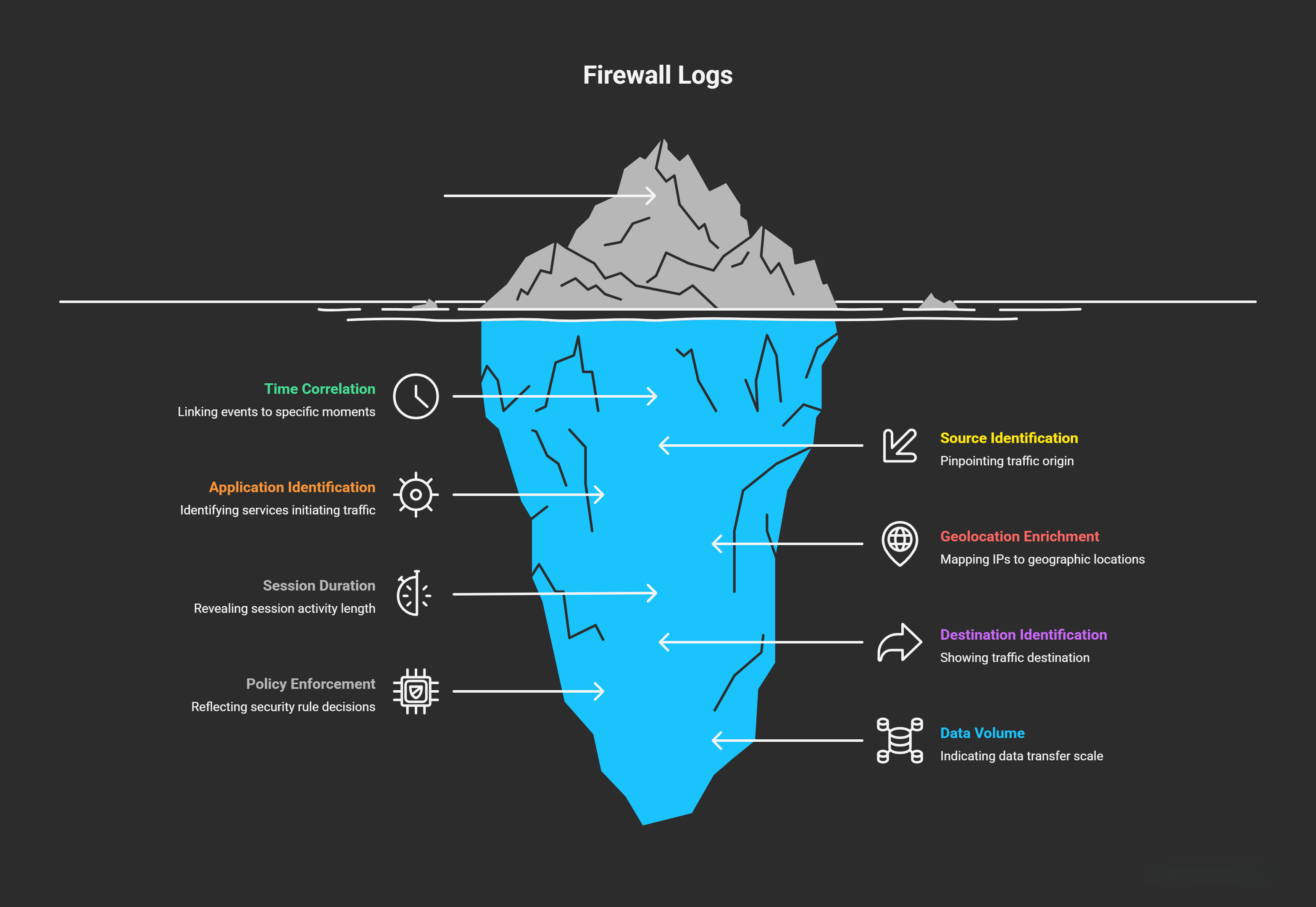
Analysis tips: huge sent bytes (e.g., >1 GB in a short session) may signal data exfiltration (e.g., stolen files). High received bytes could mean downloading malware, tools, or large payloads (e.g., ransomware). Compare ratios: asymmetric traffic (e.g., mostly sent) might be uploads to C2 servers. Threshold alerts (e.g., >100 MB) are common in SIEM tools.